Campus Compass

Reimagining what an LMS should be to support the full experience of being a student

Campus Compass is a student platform designed to bring academic life into one place. Rather than bouncing between disconnected systems, students get a single destination to manage their classes, track deadlines, and stay on top of what matters.
My Contribution

I worked as a UX/UI designer, contributing to the research phase through user research, a competitive audit, and SWOT analysis. I also designed 8 main app screens based on what students said they needed most.

Duration 3 months
Tools Figma, FigJam, Microsoft Teams
Campus Compass app

Problem

Most academic platforms do one task well and everything else poorly.

We talked to students who use D2L and other LMS platforms and kept hearing the same things. The calendar is hard to find. Notifications show up late or not at all so people just manually check everything. Logging in over and over breaks up your whole flow before you have even started. When something crashes during registration or finals week, people remember it.

A lot of students had already given up on the built-in tools and were using their own planners on the side just to keep track of deadlines. That said a lot about where things stood.

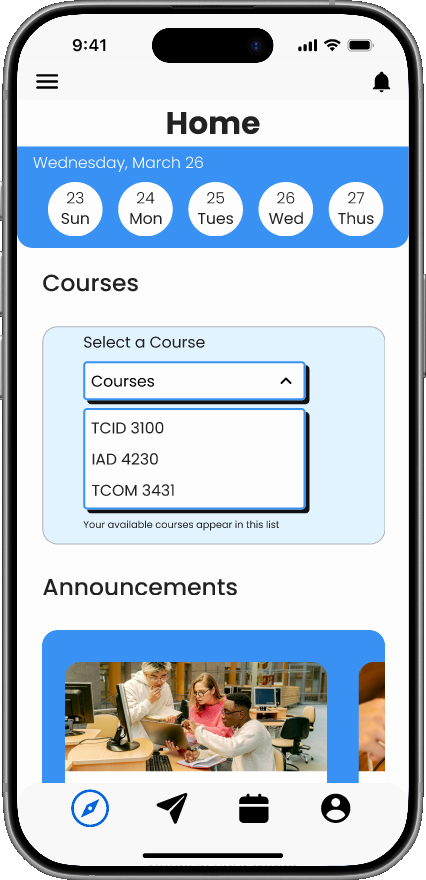
Campus Compass home screen
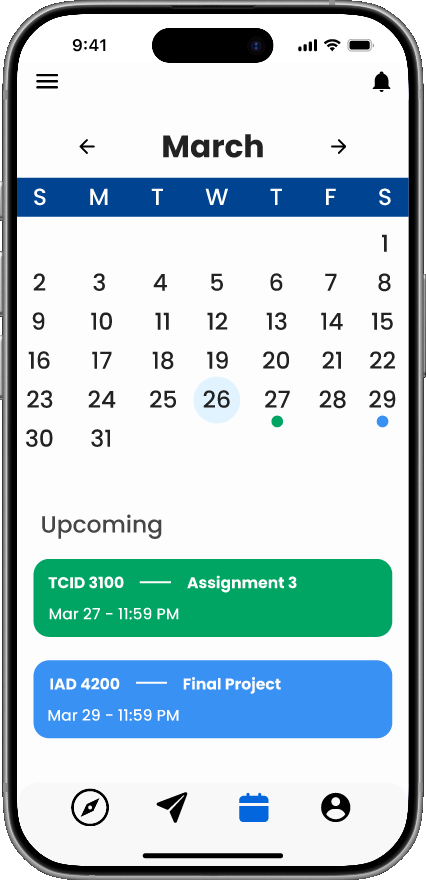
Campus Compass calendar screen

Solutions

Based on what we heard, we focused on the tasks students were struggling with the most and tried to bring them into one place. Each feature was tied back to something that came up in the interviews.

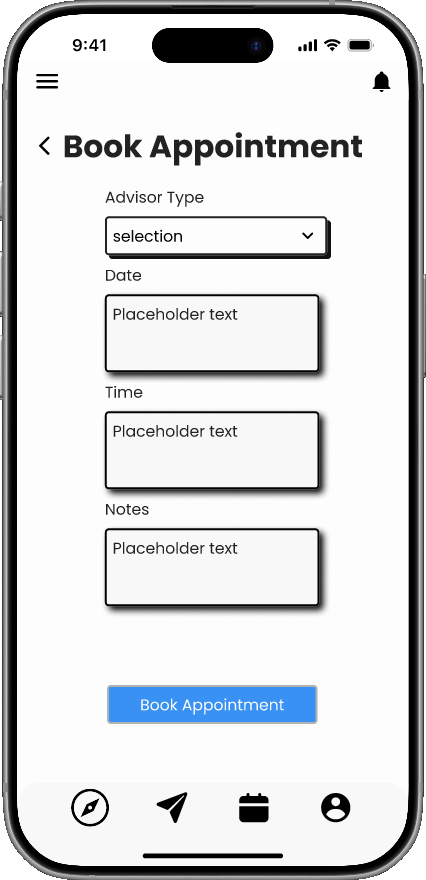
Book appointment screen

Advisor Appointments

A lot of students said they just walked in instead of booking online because the scheduling system was too confusing. Having it in the same app removes that whole problem.

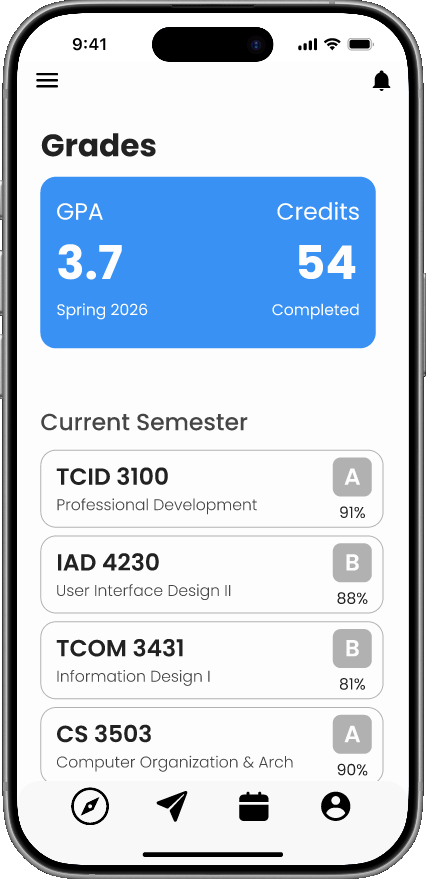
All grades screen

Grade Tracking

Checking grades meant opening a completely different system and sometimes logging in again. Having it here makes it a quick check instead of a whole detour.

Deadlines calendar screen

Deadlines Calendar

The D2L calendar kept coming up as something people just stopped using. It was buried and hard to read so most students were keeping a separate planner on the side. This replaces that.

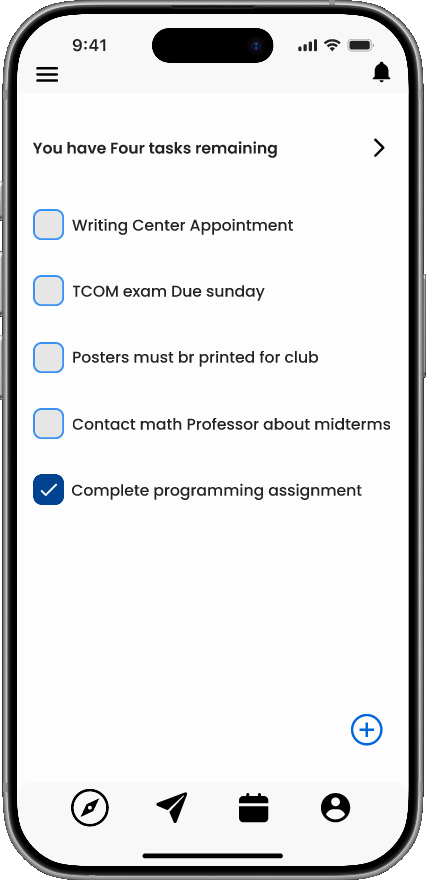
Task list screen

Task List

Students can add and manage their own tasks alongside their class deadlines. Verbal or offline assignments that never make it into the LMS can actually get tracked here.

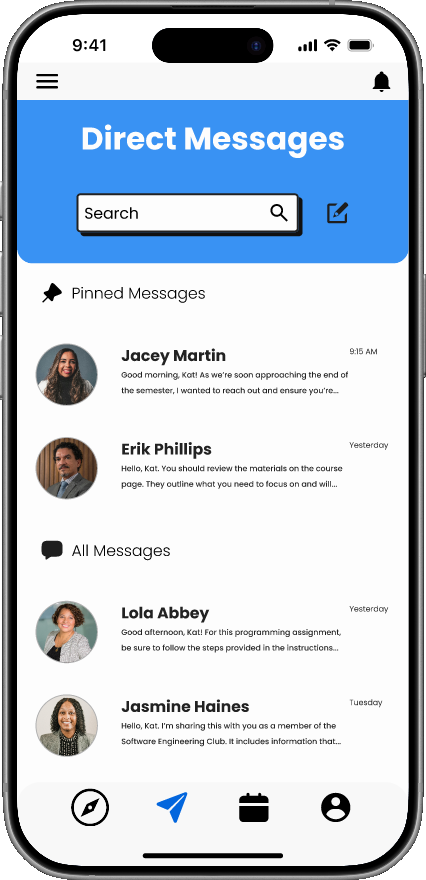
Direct messages screen

Direct Messages

Messaging built into the platform so students and instructors can communicate without switching to a separate app or relying on a D2L inbox that nobody checks.

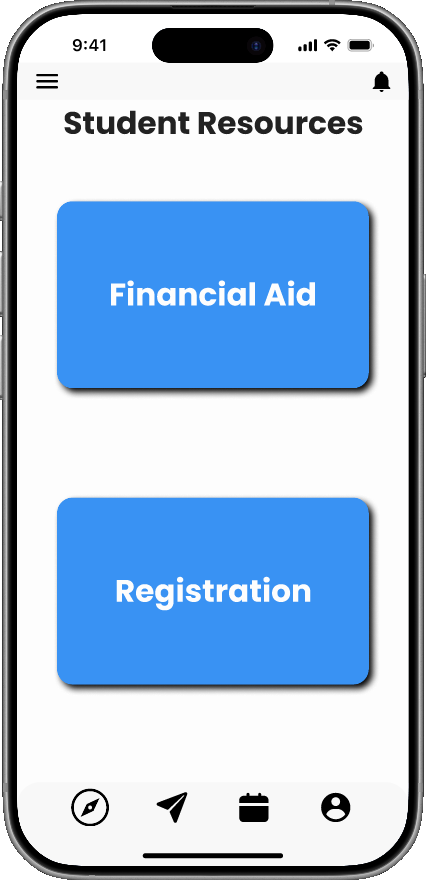
Student resources screen

Student Resources

Links to campus services all in one spot. Part of reducing the number of places students have to go to get through their day.

Lessons Learned

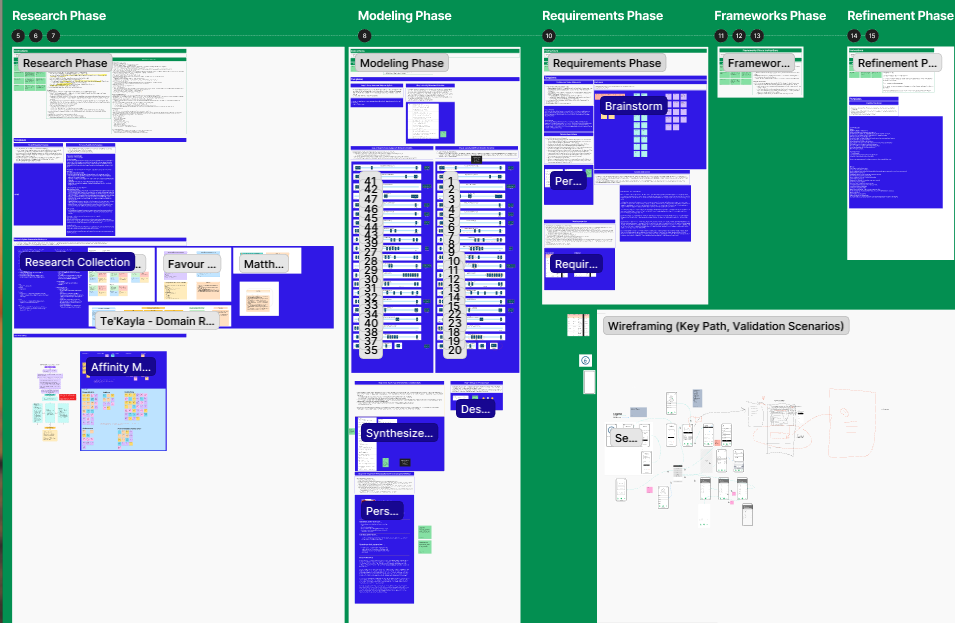
The biggest thing I took away from this project is that everything you do before you start designing matters just as much as the designing itself. Personas, wireframing, figuring out what you are actually building before you open Figma. That stuff is easy to skip over when you are eager to get started, but you feel it later.

If I did this project again I would put a lot more time into that planning phase upfront. The design work goes much smoother when the foundation is solid.

Process Work

FigJam project planning board